How do I Check and Change my Status
If you need to take a break or go to lunch, select the appropriate status. When you
are ready to receive calls again, set your status to On Queue.
To set the status for a lunch break:
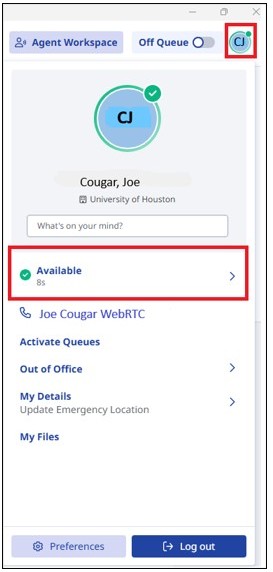
1. You can select the status in Genesys from the people icon.
2. Select Available.
3. Select Meal.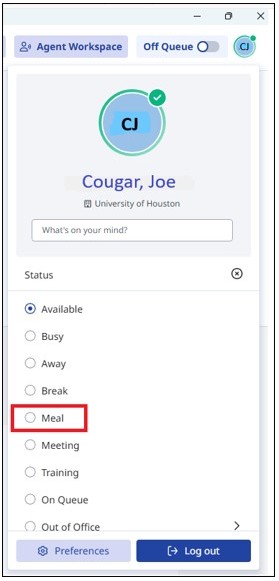
For Microsoft Teams related questions or problems, send email to unifiedcommunications@uh.edu.