How to Transfer a Call
Use transfer to transfer a call directly to another user, phone number, external contact,
or queue without speaking to the recipient first.
1. From the current call, select the arrow.
2. Type the phone number in the Enter name field and click the arrow.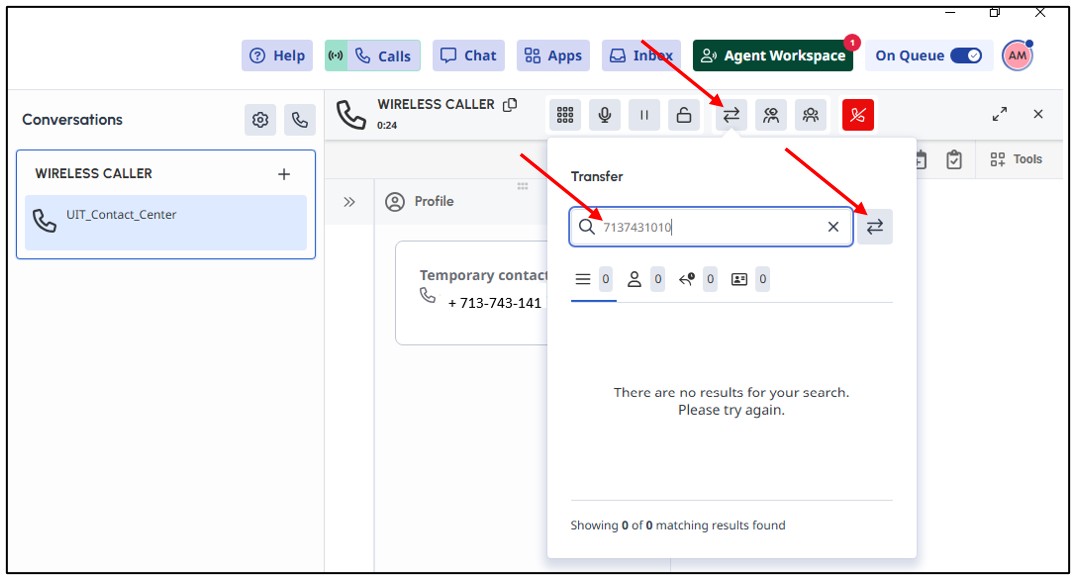
Note: Use the full phone number. Genesys Cloud does not support extension-only numbers.
For Microsoft Teams related questions or problems, send email to unifiedcommunications@uh.edu.